Phases field
The phases field is designed to display the evolution of a project over time. It can be integrated into both layouts and tables.
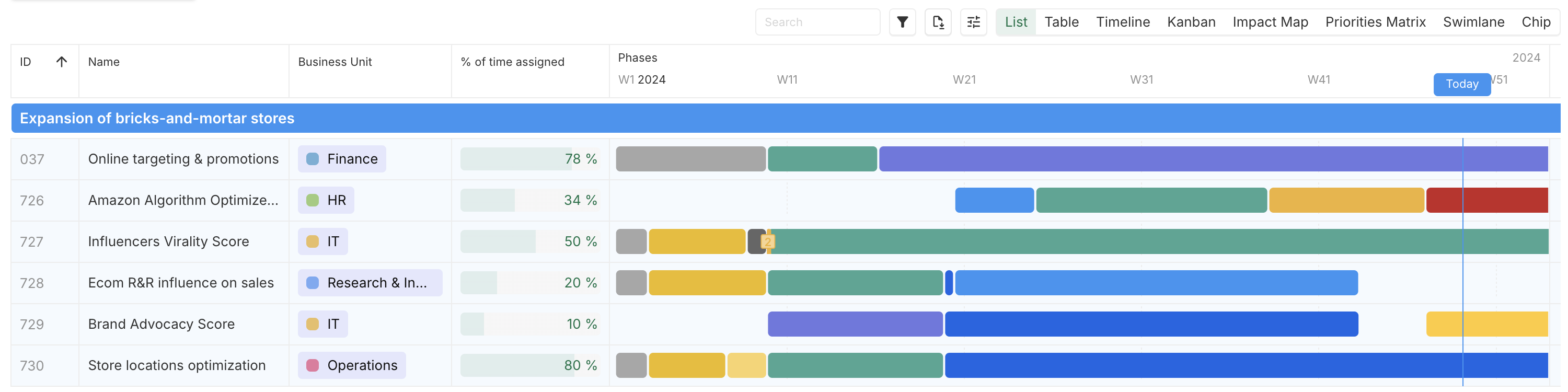
Define phase instances
In order to draw a phase timeline, phase instances must be defined. Those instances can or should have the following:
- (mandatory)
Start date: The date when the phase begins.
- (recommended)
Color: Used to color the phase.
- (recommended)
Name: A label displayed in the legend.
- (optional)
Order: Determines the sequence if multiple phases share the same start date.
Configure phases in layouts and tables
When displaying phases in layouts or tables, the following configurations are necessary:
Timeframe: The overall start and end period to be displayed.
Label: Periodicity of labels (e.g., weekly, monthly).
Today: Option to highlight the current date.
Understand phase duration
A phase ends automatically when the next phase begins. Therefore, an explicit end date is unnecessary.
Data
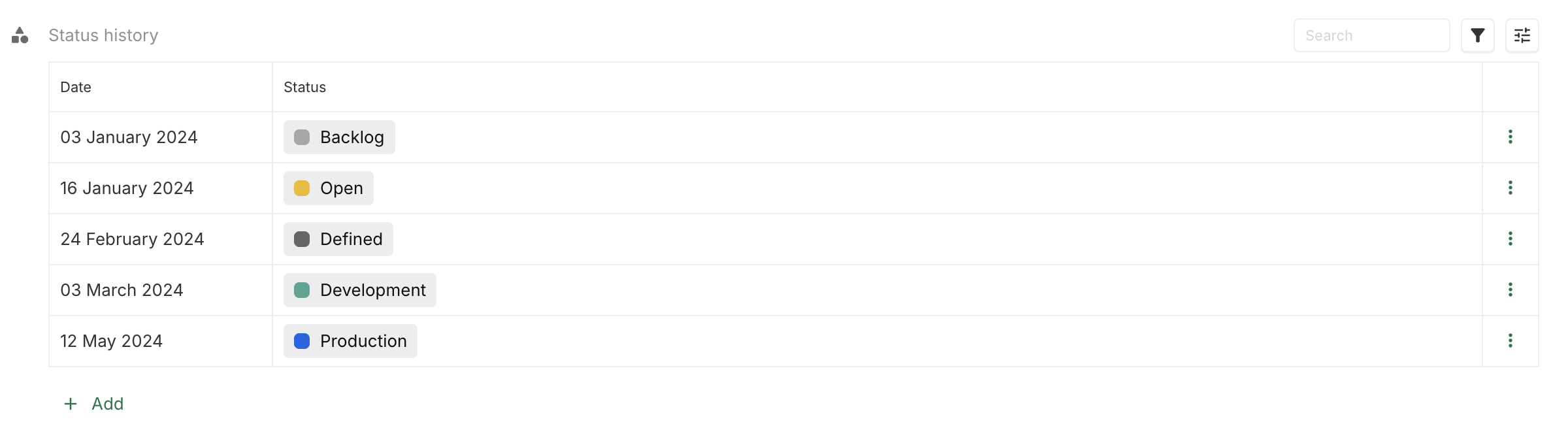
With the example below:
- Backlog is from 3 January 2024 to 15 January 2024
- Open is from 16 January 2024 to 23 February 2024
- […]
- Production is from 12 May 2024, and has no end date.
Display result


Order phases that start on the same date
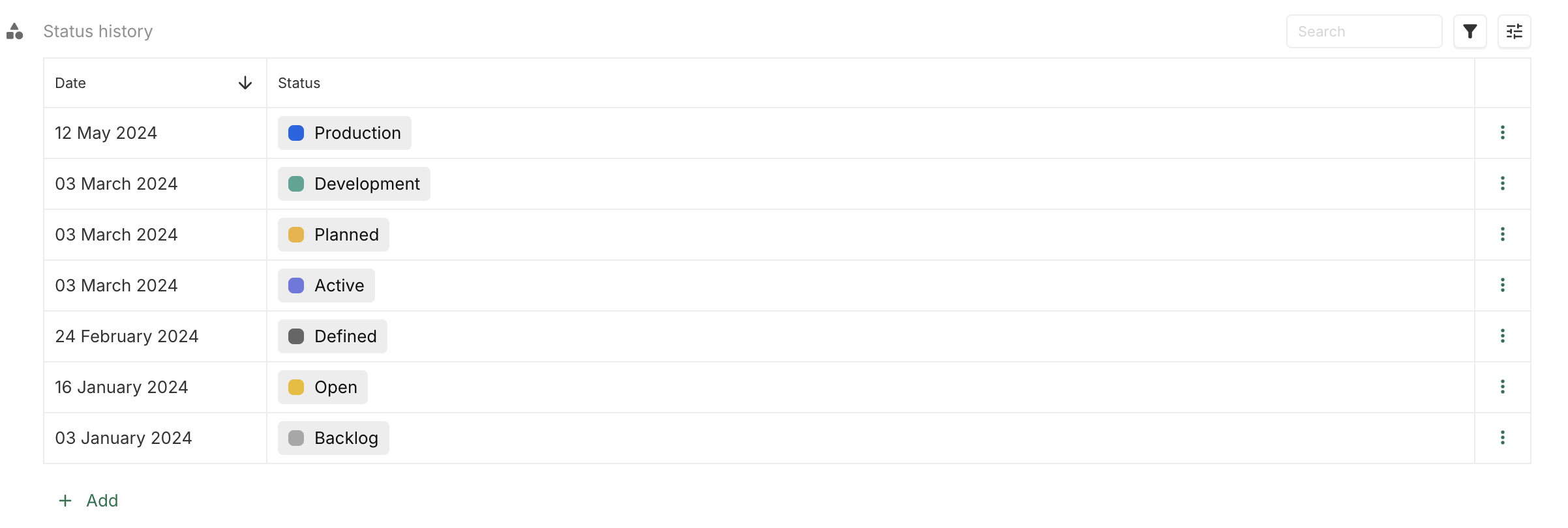
It is possible to define multiple phases starting on the same date. The default order of these phases is based on their creation order, unless explicitly managed with the order parameter.
Use creation order
Data
Display result
The order of creation is Development, then Planned and then Active.
As a consequence, Development and Planned are from 3 March 2024 to 3 March 2024, and Active from 3 March 2024 to 11 May 2024 (next phase, Production, starts on 12 May 2024).

Set an explicit order
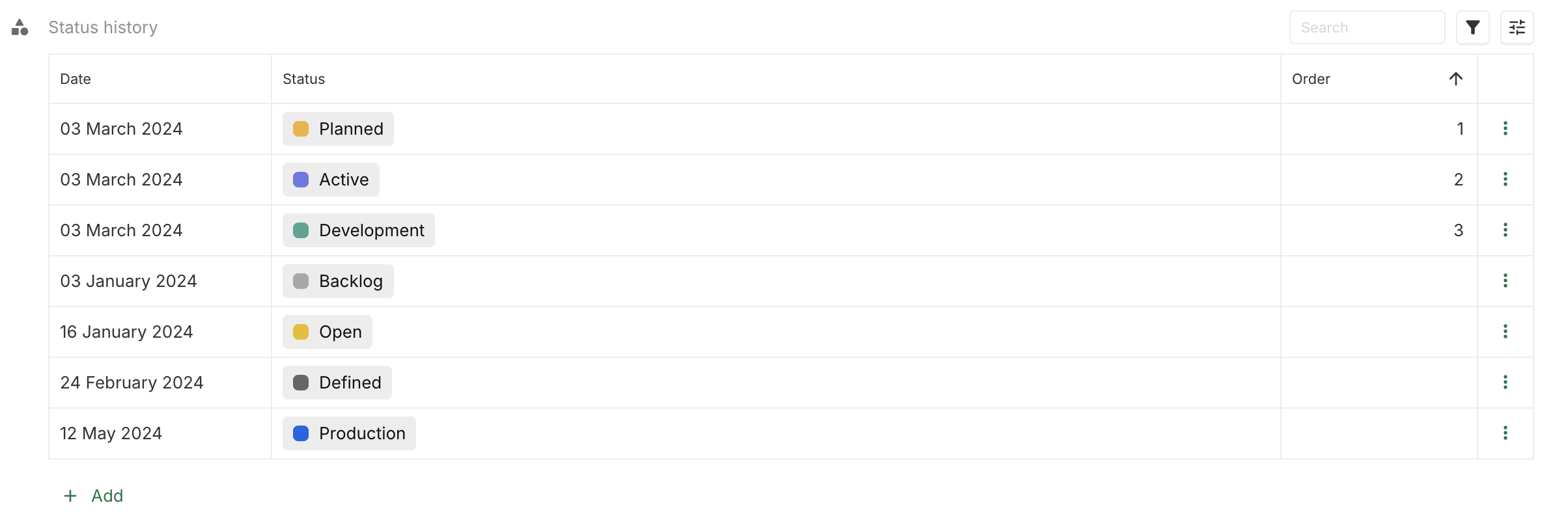
Data
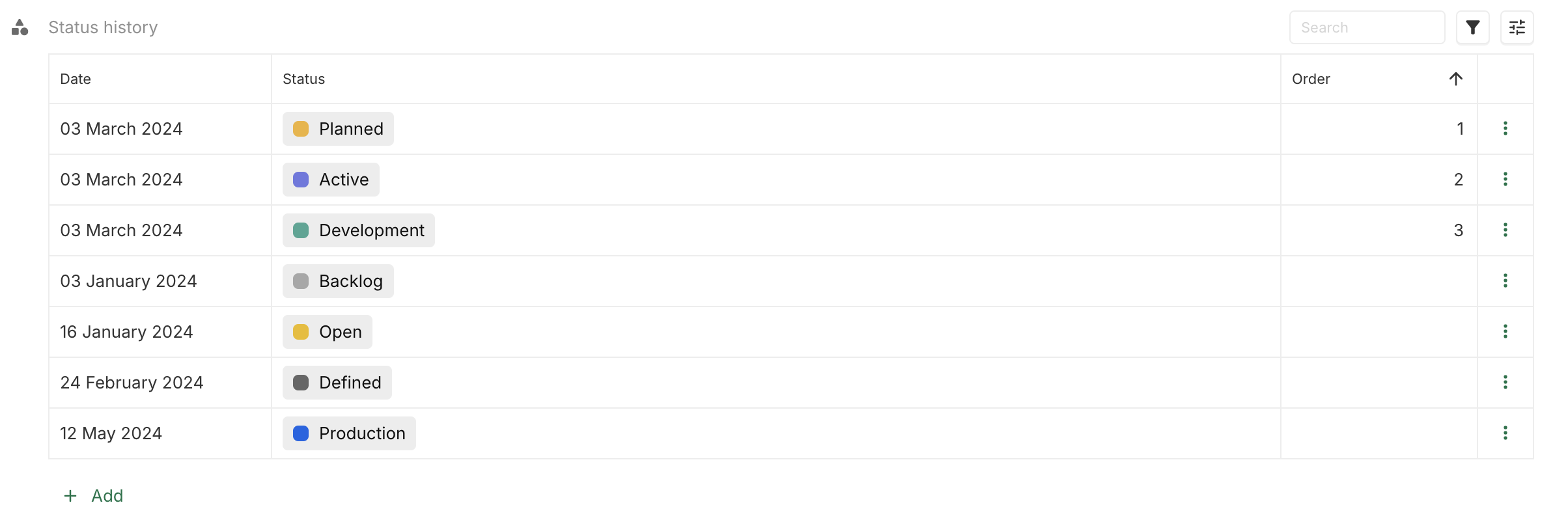
It is possible to manage explicitly the order of the instances if they have the same start date. With this data, it is now the Development phase that will go from 3 March 2024 to 11 May 2024.
Display result

Hide or filter phases
Phases can be excluded in two ways:
- Filtered Phases: Removed entirely from the timeline.
- Hidden Phases: Excluded from the view but included in timeline calculations.
Hide a phase
Data
The data are this one, but the Open phase has been set to be a hidden phase.
Display result
The Backlog phase is still from 3 January 2024 to 15 January 2024.

Hide the last phase
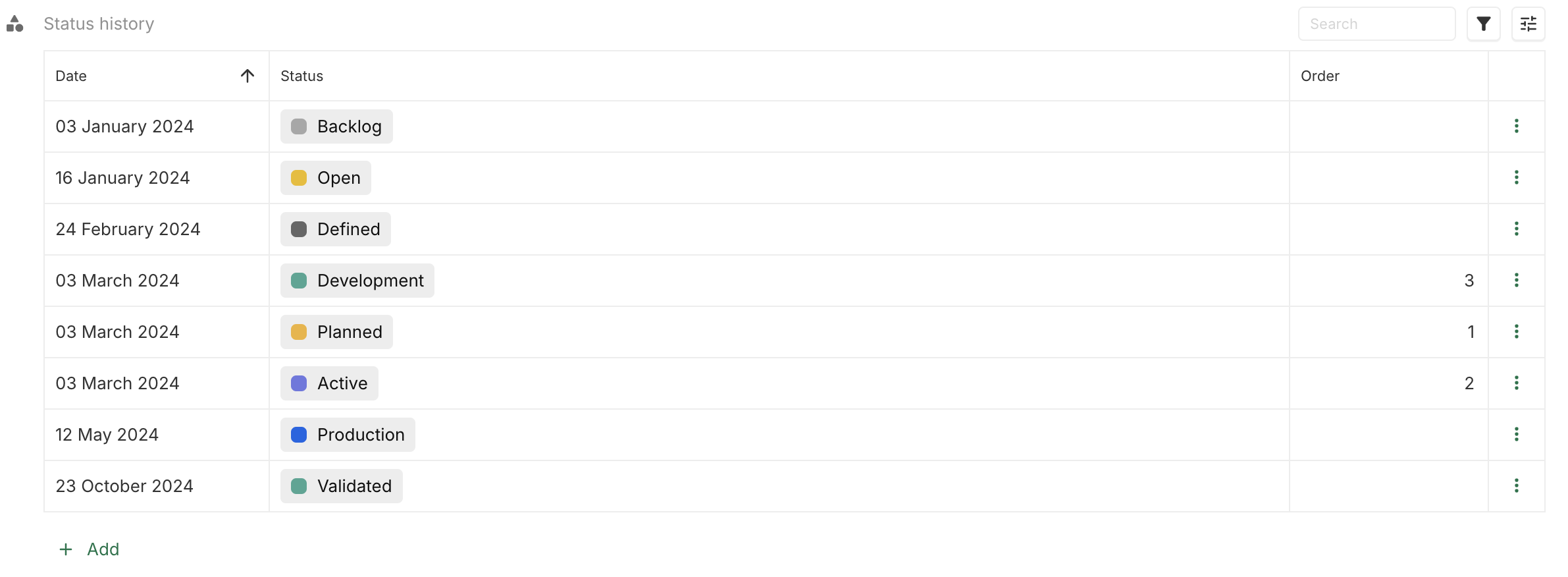
If the last phase is hidden, the timeline will not display any ongoing phase.
Data
The Validated phase is set to be hidden.
Display result
