Understand Concepts, Instances, and Fields
Many notions are used in the platform, like Concept, Instance and Field. An example can be used to illustrate each of these notions:
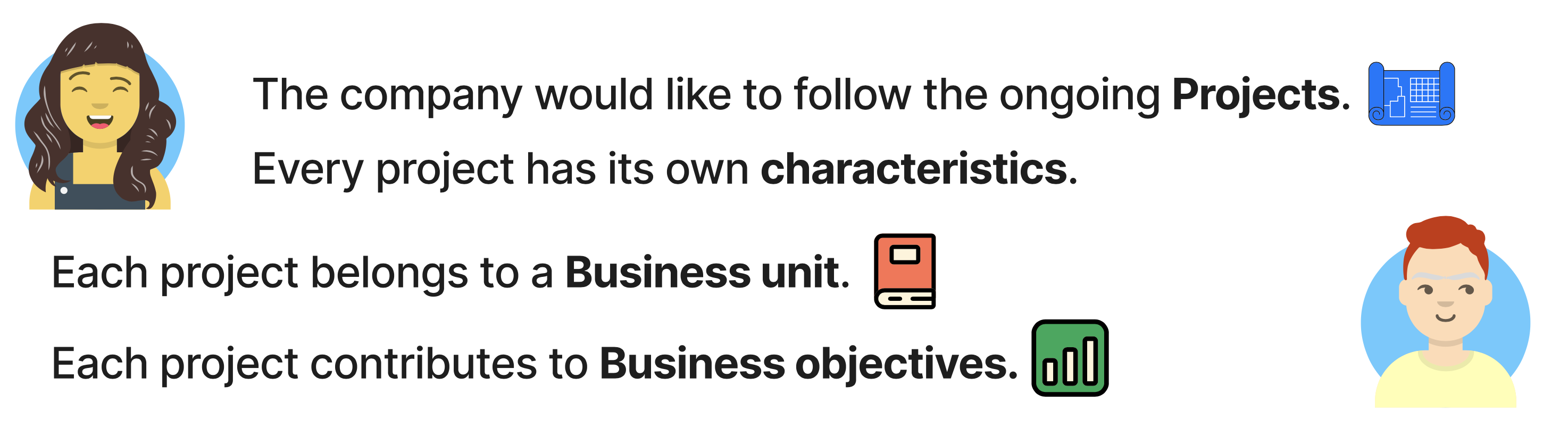
How does the example map to the platform?
How would this example be modelled in the platform? Here is the answer:
It is possible to define Concepts, and for each concept define its characteristics (Fields):
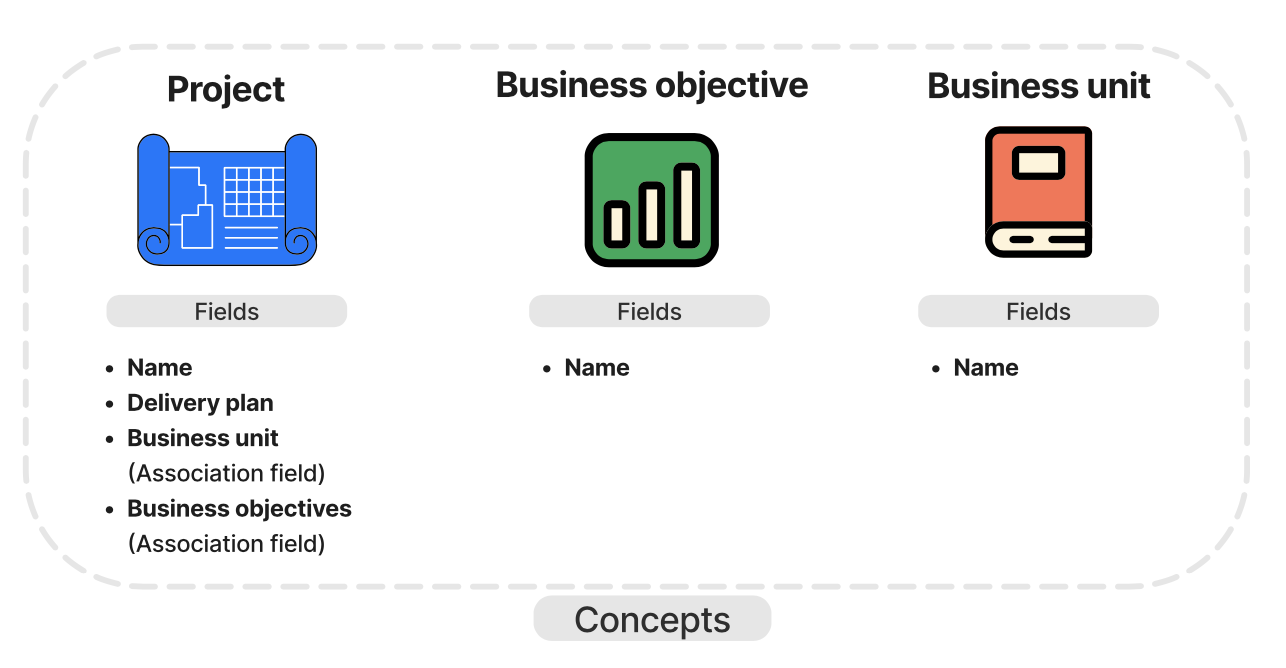
Each Instance of a Concept has a value for the concept’s Fields. Concepts can be linked together via Understand Association Fields:
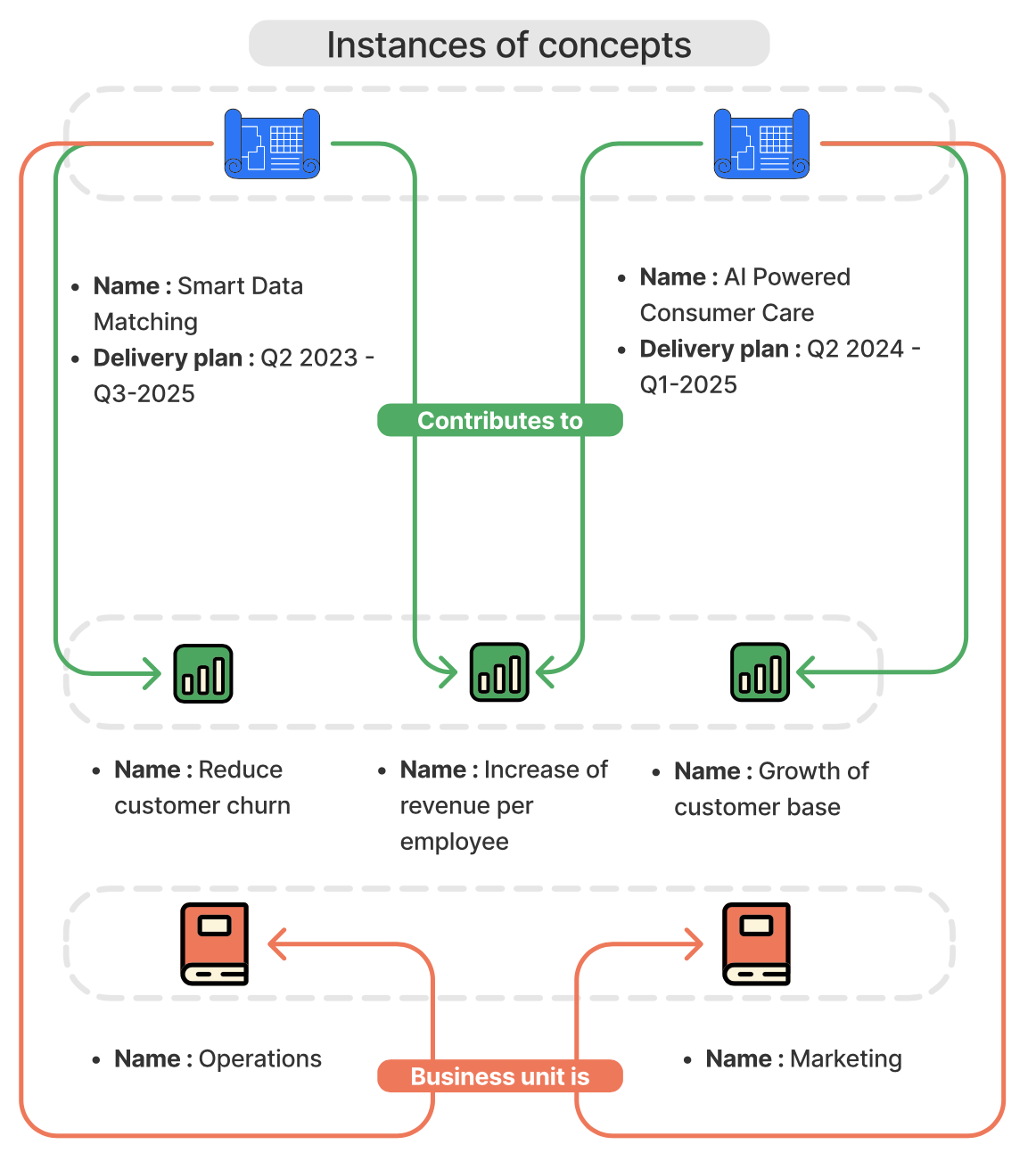
This example has demonstrated the notions of Concept, Instance and Field.
Explore Views
But what about the representation of the data once the model has been defined?
That's where the notion of View comes in! As with the notions described above, all views can be configured. Here are some of the views available in the platform:
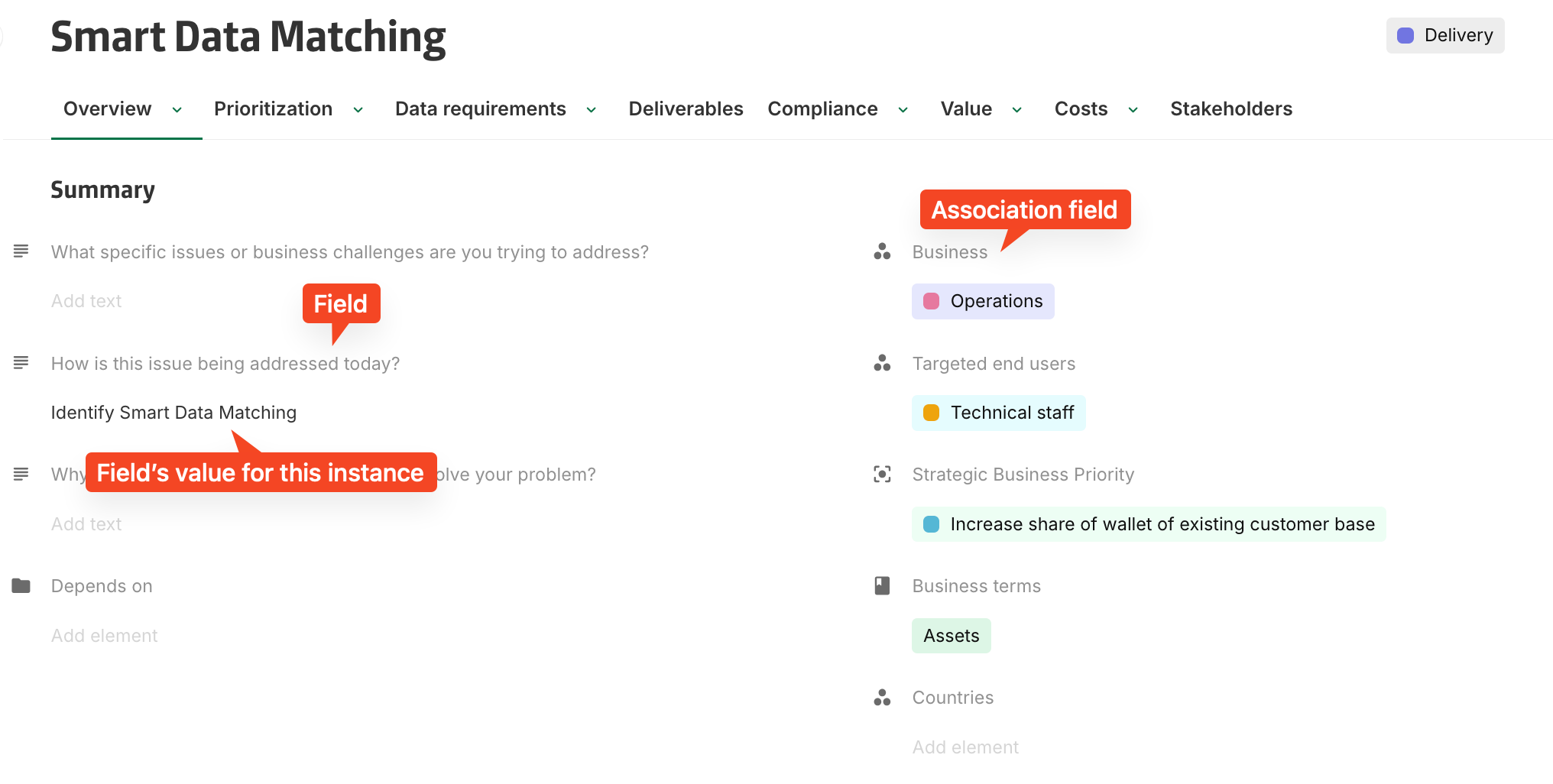
How does a layout display an instance?
I’d like to provide information about an instance and see its characteristics displayed. More information can be found Understand Layouts and Forms.
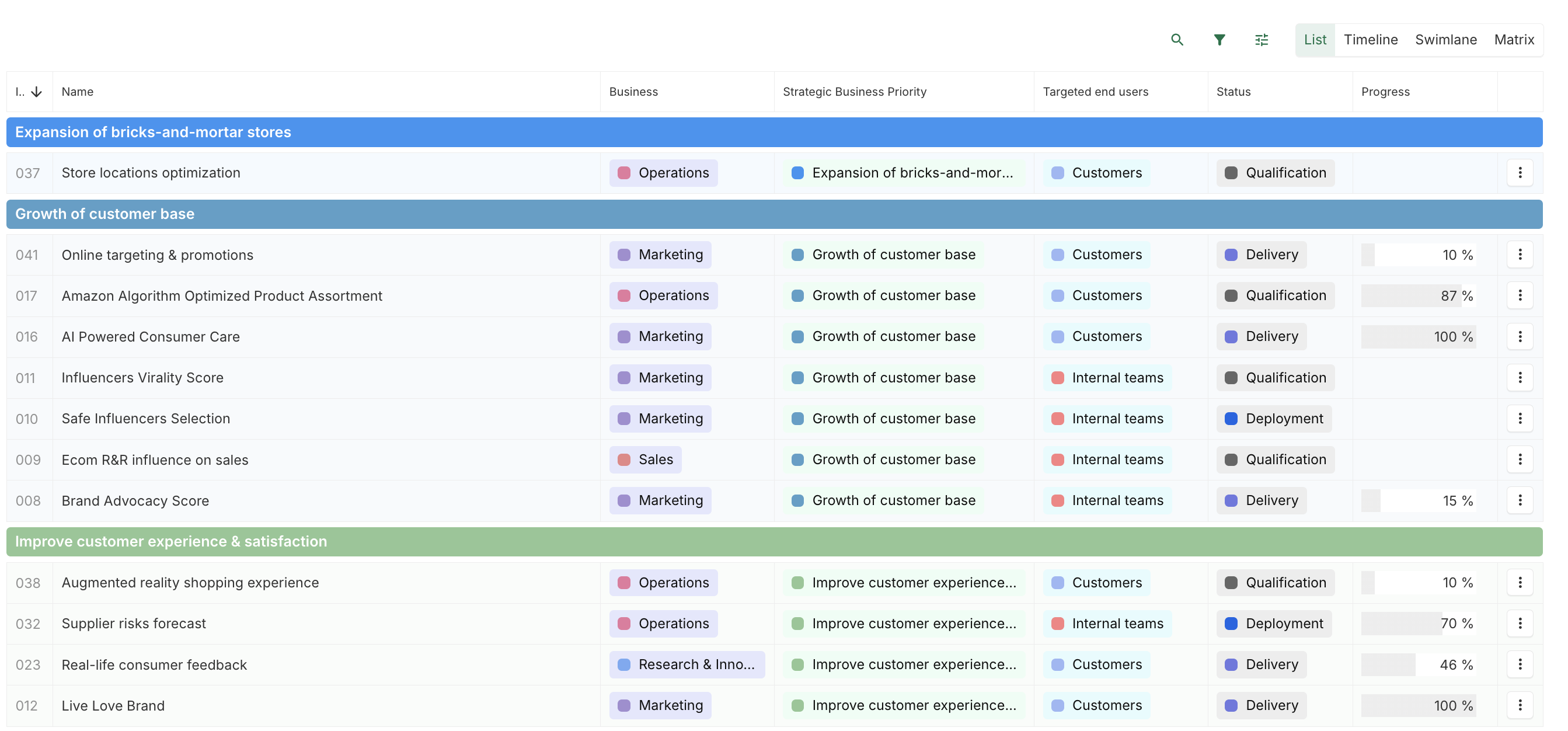
How can you list instances?
I want to list all the ongoing projects.
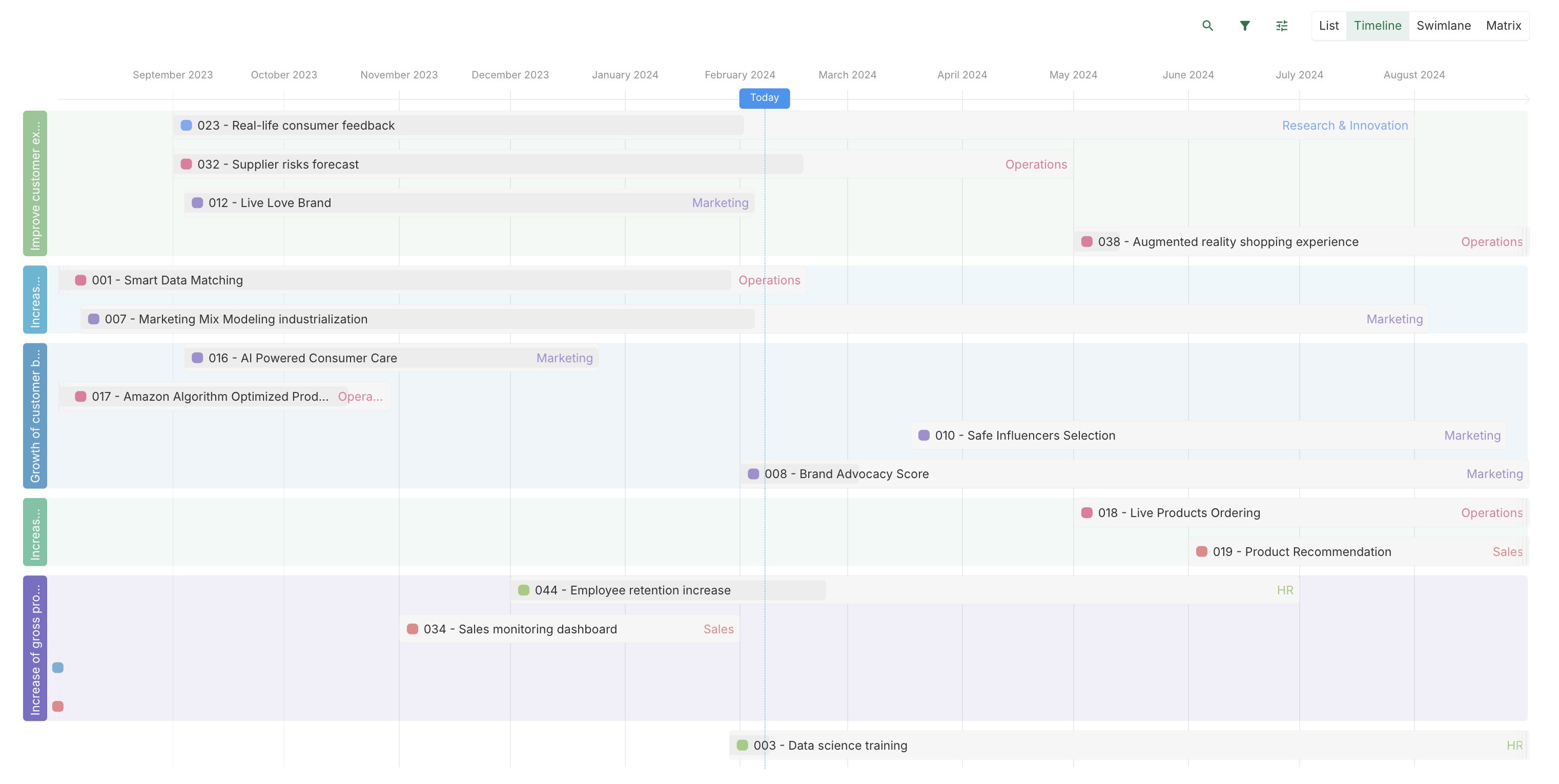
How can you view a project roadmap with a timeline view?
I want to see the projects roadmap.
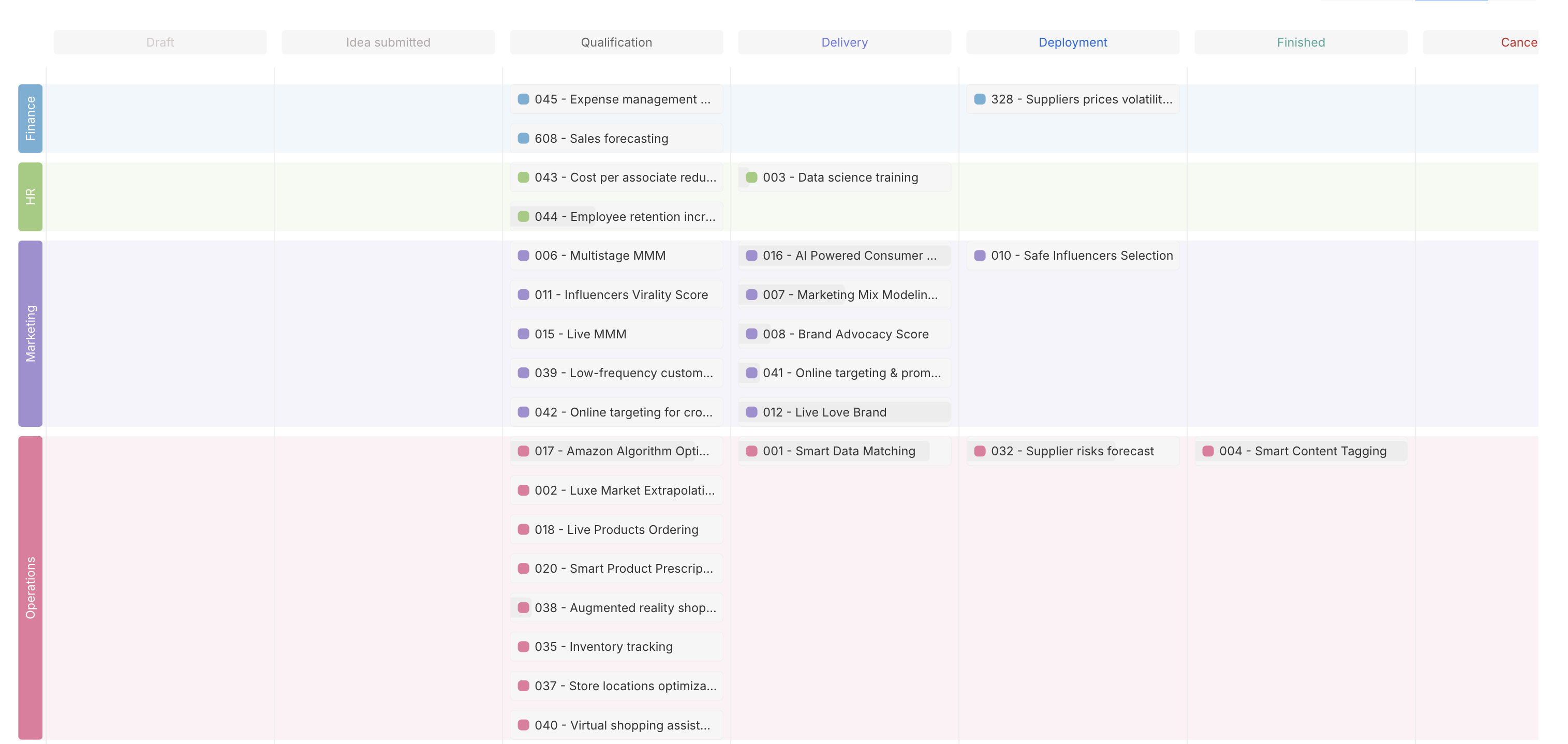
How can you organize projects by status with a swimlane view?
I want to see projects organised by status.
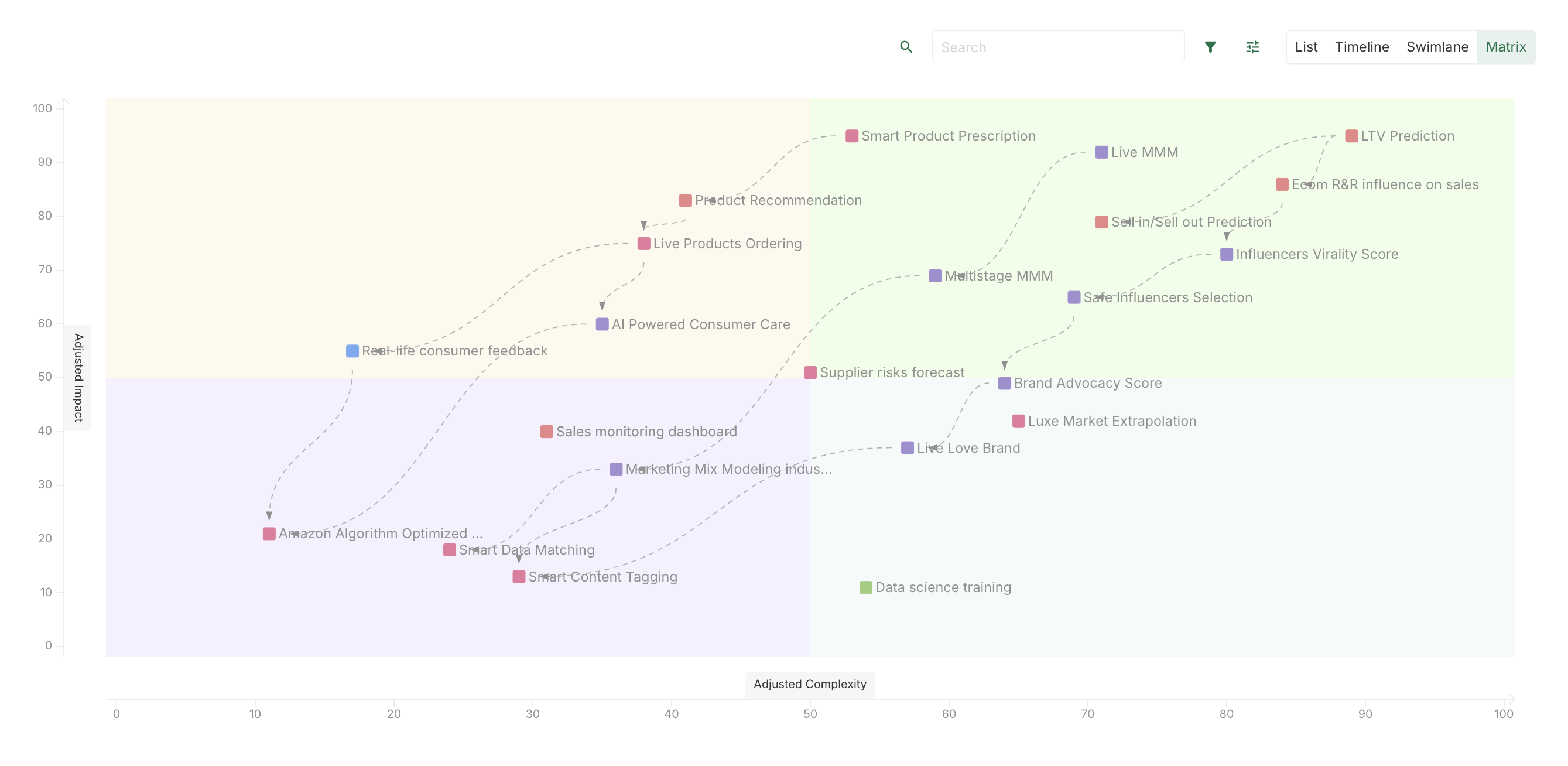
How can you prioritize projects by risk and impact with a matrix view?
I want to decide which projects to focus on, based on their risk and impact.
The main notions of the platform have been covered. There's no longer any secret to the notion of Concept, Instance, etc!
Read more
Now it's time to explore the platform in a little more depth: