Check the screen resolution
To use the platform, it is better to have a minimum screen resolution of 1366 x 768.
Check the supported browsers
The latest version of these browsers is supported:
| Browser | Windows | macOS |
|---|---|---|
| Chrome | ✅ Supported | ✅ Supported |
| Firefox | ✅ Supported | ✅ Supported |
| Microsoft Edge | ✅ Supported | ✅ Supported |
| Safari | ❌ Not supported |
Turn off enhanced security in Microsoft Edge
To use the platform on Microsoft Edge with optimal performance, the enhanced security should not be active.
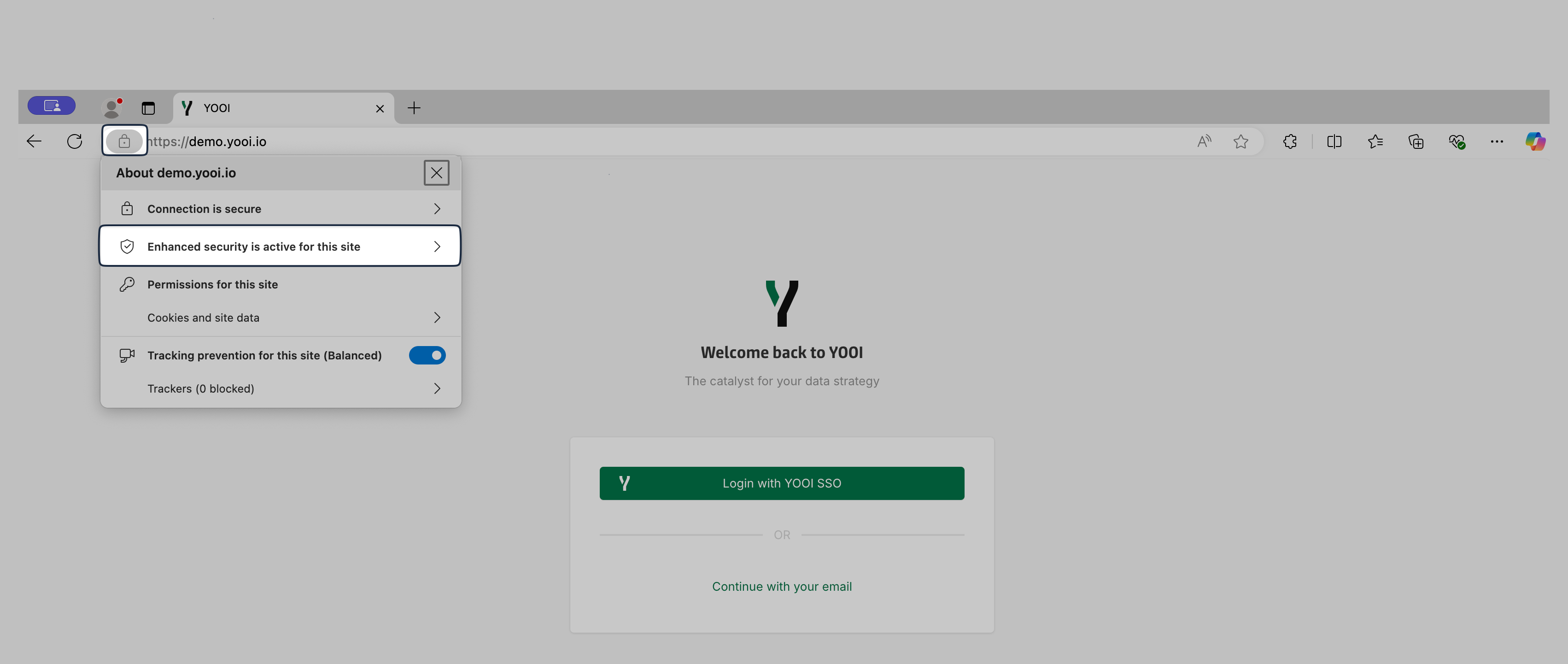
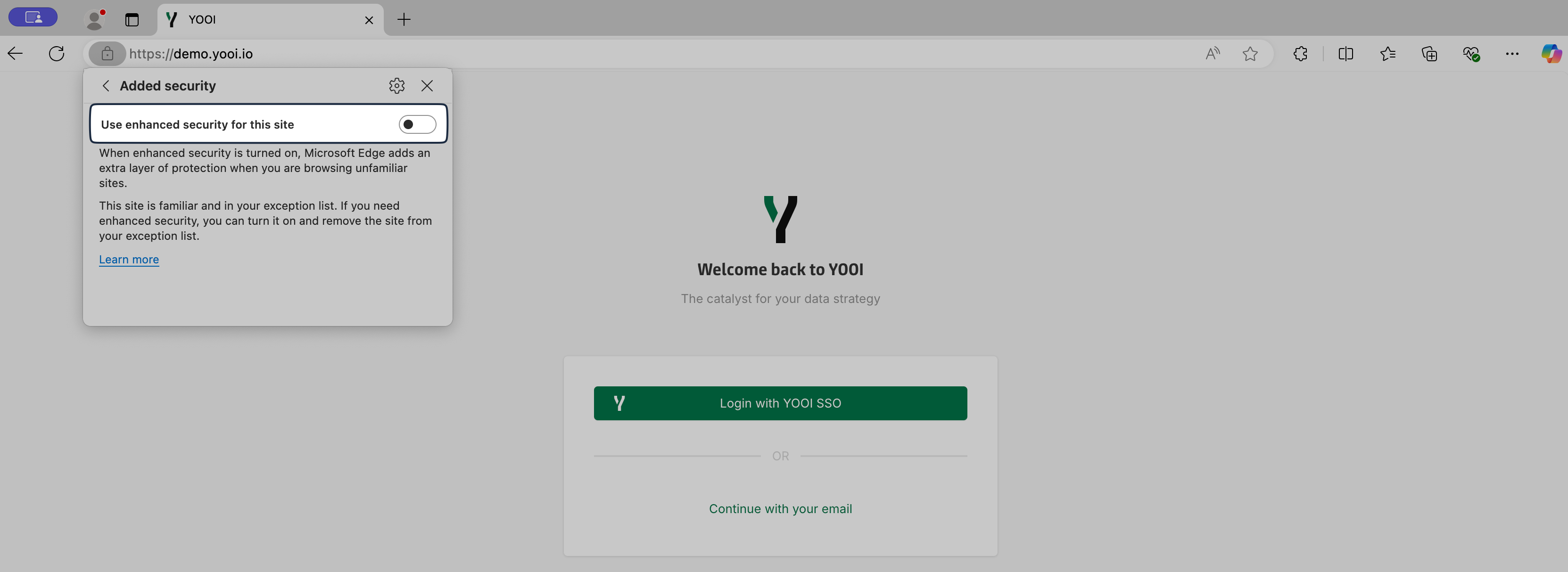
Further information is available in the Microsoft Edge documentation.
Handle an unstable internet connection
A stable internet connection is always preferable.
However, if the user’s internet connection is unstable and does not allow an instant save of the data generated by the user, the platform will try again several times to make this save and will warn the user of these attempts.

In case of failure, after thirty seconds of save attempts, a banner will inform the user that the data could not be saved. This is exceptional, as several save attempts are performed before a failure. In addition, this banner ensures that the user has quick feedback that the save could not be done.
